TELU

VLE Roadshow – Come and see your new VLE!

The VLE review is well underway, with the first pilot courses using Anthology Ultra with their students. So far, student feedback has been excellent, with all preferring the new system. We also had an overwhelming response to our online briefing sessions, which were oversubscribed.

We’re sure that many of you are champing at the bit to take a look at the new VLE, so we at the Technology Enhanced Learning Unit will be running a VLE roadshow in the main reception foyer on Thursday 22nd February, from 11am until 2pm to demonstrate how Ultra works and how to get the best from it. Feel free to come along and ask questions or simply watch our demonstrations.

We will of course be providing full training in the coming months.

We look forward to seeing you there!

The Technology Enhanced Learning Unit

VLE Roadshow – Come and see your new VLE! Read More »

Flat vector people using video in online learning meeting conference and working concept By apinan

Anthology Ultra VLE

Photo: by © apinan

The implementation of the new VLE Anthology Ultra is now well underway, and the TEL team have started working with a number of early adopters to prepare their Ultra modules, ready for teaching in semester 2. We also have a group of users who have expressed an interest in learning more about the new system early on in the project. The TEL Unit will be gathering feedback from all the early adopters, which will be used to inform the full rollout to all staff over the coming months.

We will be running briefing sessions for anyone wishing to find out more, on 2nd  February 2024 1-2pm and 5th February 2024 12-1pm.  Members of the TEL team have also arranged to attend a number of departmental and school meetings, to provide further updates and to provide an opportunity for questions and answers. If you would like to join either of the open briefing sessions, you can sign up from the Staff Development Booking system Staff Development Workshops – University of Worcester

The new Ultra environment is significantly different from our current version, with a more modern look and feel, new features and functionality. We strongly encourage all teaching staff to engage in training to make the most of the enhanced opportunities, and to set aside some time to prepare your modules for the next academic year – the training will enable you to assess how much time you should allow. Training sessions will be organised for all Schools, so please look out for workshops and other opportunities to get involved. If you have any away days or events organised where you would like a briefing for your team, please get in touch, and a member of TEL would be happy to attend to answer any questions you may have. Please contact Libby Symonds, e.symonds@worc.ac.uk, if you would like any further information, or to organise a session for your team.

Anthology Ultra VLE Read More »

Cookies and computer keyboard. 'Cookie' © By poko42

Important Changes to Chrome

Photo: ‘Cookie’ © By poko42

New Chrome changes and your use of online systems, including Blackboard VLE.

We recommend using Chrome or Mozilla Firefox browsers, when using the Blackboard VLE. However, you may be aware that Google Chrome have started testing a new feature, with the intention of protecting users from third-party cookie tracking. This will result in all third-party cookies being disabled, as a default setting. Initially a selection of Chrome users will be notified, but the intention is that all users will experience this change by the end of 2024.

Why you still need your Third-Party Cookies for the Blackboard VLE.

Third-party cookies are often used as an essential element for the functionality of different websites. Within Blackboard there are several integrated tools which require third-party cookies to be enabled. If you experience any issues with the Blackboard VLE, such as pages not loading correctly, even after a refresh – you may need to alter your third-party cookie settings.

How to change your settings:

  • Users who have been selected by Google Chrome, will have a notification, when they open their Chrome browser. If you are viewing the initial notification, it is possible at this stage, to click on the cog, to select and confirm your account third-party cookie choices.
  • Chrome users will be able to tell whether any cookies are active on a webpage, by looking for the ‘eye icon’ within the address bar, in the top right of the Chrome browser. If third-party cookies have been blocked, there will be a line through the eye. A click on the eye icon, will permit users to select and choose whether they wish to have third-party cookies enabled.
  • Alternatively, you can alter your Chrome account settings, as a whole, by selecting the three dots, in the top right-hand corner of the browser. A menu will appear, where you can select ‘Settings’ → ‘Privacy and Security’ from the left-hand side-bar menu, → then ‘Cookies and other site data’ to view all the possible cookie settings for your account.

To find out more, you make wish to read Google Chrome’s recent blog post:

https://blog.google/products/chrome/privacy-sandbox-tracking-protection/

Important Changes to Chrome Read More »

New Learning Technologist Andy Bright

TEL Update

We’re delighted to announce that Andy Bright has been appointed as our new Academic Learning Technologist. Many of you will already know Andy as he’s been our TEL Advisor and first point of contact for the team for the past three years. He has done a fabulous job in keeping our service running efficiently and the promotion is well deserved. Please bear with us while we are working to recruit a replacement TEL advisor.

Libby Symonds
Head of Technology Enhanced Learning

TEL Update Read More »

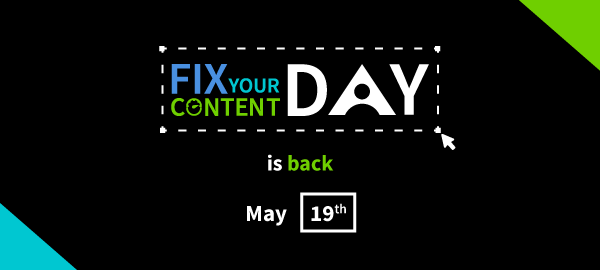
Fix your Content day on May 19th

Ally Training for Fix Your Content Day

Each year, the global accessibility community unites on the third Thursday of May for Global Accessibility Awareness Day (GAAD) to highlight the need for more inclusive digital content. Blackboard seek to join the conversation by inspiring and motivating institutions across the globe to demonstrate how accessible content is better content.

As part of this initiative Blackboard are hosting a Fix Your Content Day which encourages academics to use Blackboard Ally to help make the content on their Blackboard pages more accessible.

To support this initiative we are hosting an additional Ally and Accessiblity workshop which will give your the tools and know-how you need to participate in Fix Your Content Day and contribute to an overall in improvement of accessibility.

The workshop will tale place on Wednesday, 18th May, the day before Global Accessibility Awareness Day so just in time to support you in fixing your content. You can sign up for the workshop on the staff development booking system and register for the Fix Your Content challenge with Blackboard from this link.

Ally Training for Fix Your Content Day Read More »