
With marking season upon us, many of you will be marking Panopto assignments, so we thought it would be useful to share a little tip based on staff feedback.
You will notice that, when marking Panopto assignments, the video displays a little differently in Blackboard assignment view, which can result in the student’s face obscuring part of the slide that they are presenting. You also don’t automatically see the transcription as you did in the old system.
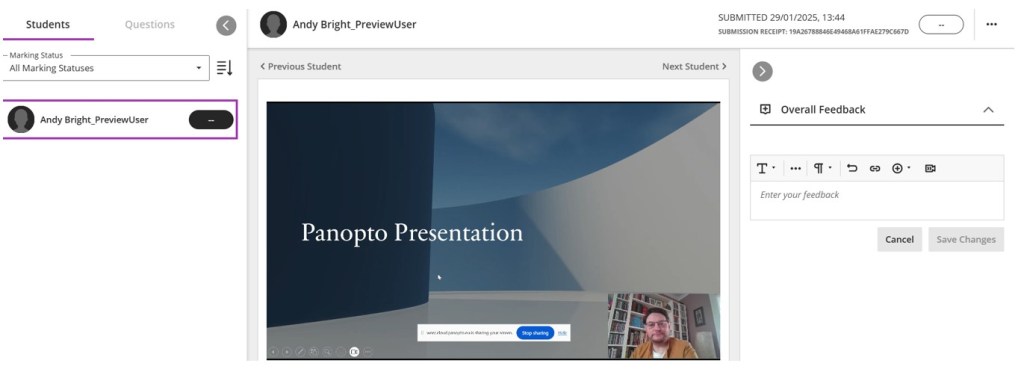
If you find this view difficult to use, you can open the traditional Panopto view by clicking on the arrow in the video control bar.

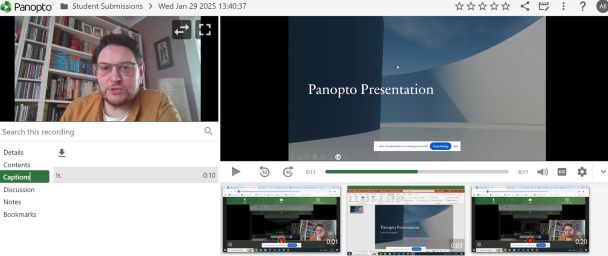
Although you will still need to add your grade and feedback in the Blackboard assignment view, opening this link will allow you to watch the video uninterrupted, as well as being able to view captions.
If you have any further queries, please contact us at TEL@worc.ac.uk
