

You can now create no points rubrics for Blackboard Ultra assignments, just like you can for Turnitin.
Previously, Blackboard rubrics required each feedback item to have a points value or percentage associated with it, which was automatically added to the gradebook. This value needed to be overridden so that students would not see an incorrect grade.
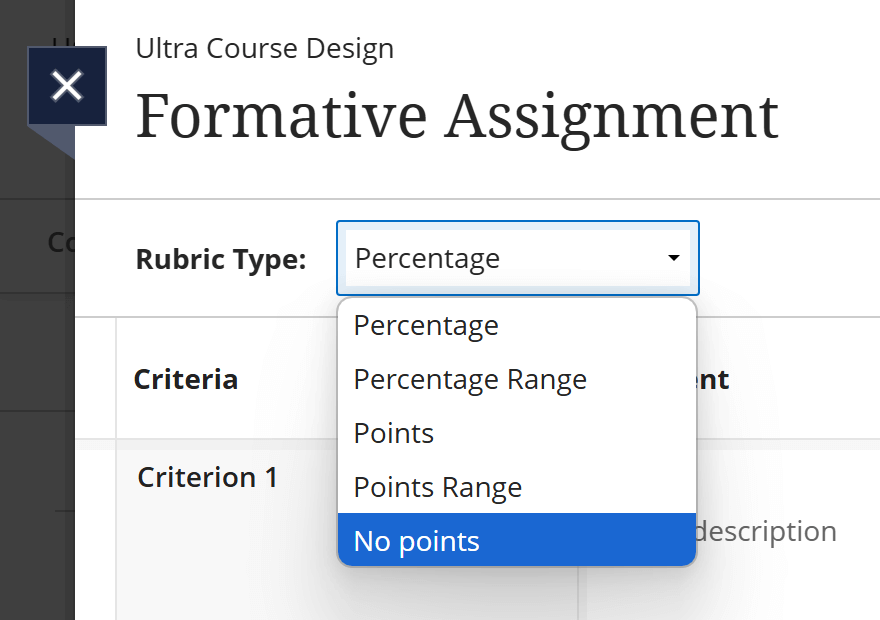
When creating a new rubric, just choose the No points selection in the Rubric Type dropdown:
Complete the rubric table and save your content. You can then apply the new rubric to any Blackboard assignment.
For detailed guidance on how to create a new rubric, or how to export an existing rubric from another Blackboard course area, access the Blackboard Manual.
