
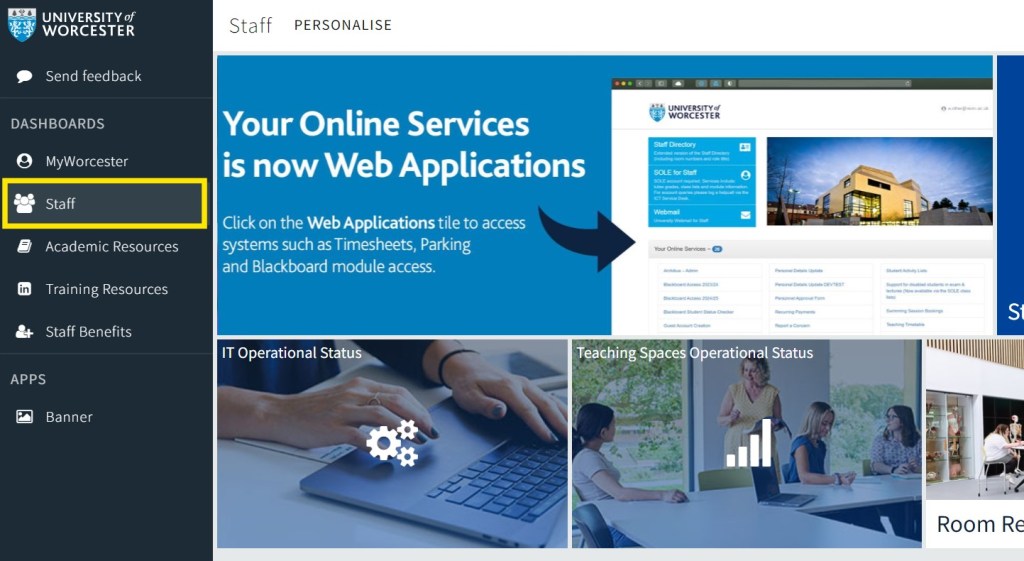

As in previous years, you’ll need to enrol on each of your modules by completing the request form available on the staff homepage. After submitting the form, you should gain access to your modules within an hour.
With the redesigned staff homepage, you can find the form by
navigating to the ‘Staff’ tab on the left-hand side of the page:
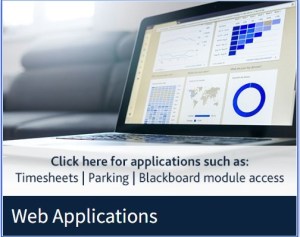
Selecting ‘Web Applications’:
Then choosing ‘Blackboard Access 2024/25’:
For new staff members or those taking on new modules, you can also access last year’s version of the module, by filling out the ‘Blackboard Access 2023-24’ form.
| Cookie | Duration | Description |
|---|---|---|
| cookielawinfo-checkbox-analytics | 6 months | This cookie is set by GDPR Cookie Consent plugin. The cookie is used to store the user consent for the cookies in the category "Analytics". |
| cookielawinfo-checkbox-functional | 6 months | The cookie is set by GDPR cookie consent to record the user consent for the cookies in the category "Functional". |
| cookielawinfo-checkbox-necessary | 6 months | This cookie is set by GDPR Cookie Consent plugin. The cookies is used to store the user consent for the cookies in the category "Necessary". |
| cookielawinfo-checkbox-others | 6 months | This cookie is set by GDPR Cookie Consent plugin. The cookie is used to store the user consent for the cookies in the category "Other. |
| cookielawinfo-checkbox-performance | 6 months | This cookie is set by GDPR Cookie Consent plugin. The cookie is used to store the user consent for the cookies in the category "Performance". |
| viewed_cookie_policy | 6 months | The cookie is set by the GDPR Cookie Consent plugin and is used to store whether or not user has consented to the use of cookies. It does not store any personal data. |
