
As any PebblePad user will know, after working with the system for a while, the asset store can become cluttered with a large number of assets and resources. Sometimes, even with meticulous attention to naming conventions for your assets, it’s possible to lose sight of those few that you need to access often.
To address this, PebblePad have introduced a new ‘Favourite’ option, which allows users to access their most important assets more readily, either directly via the PebblePad dashboard or from the new Favourites section of the asset store.
How to make an asset a favourite
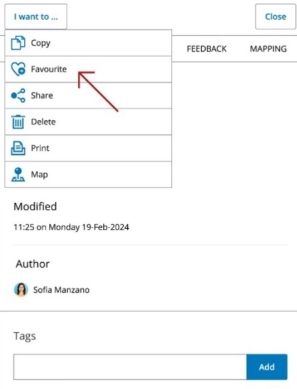
To mark any asset or resource as a favourite, simply use the new ‘Favourite’ option in the ‘I want to’ menu.
Locating your favourited assets
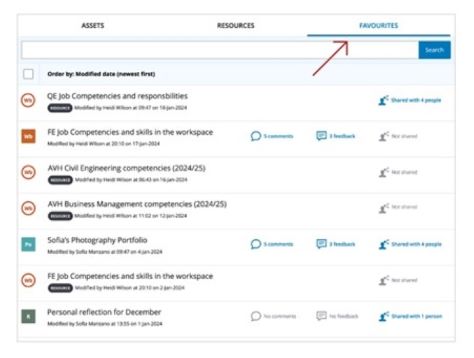
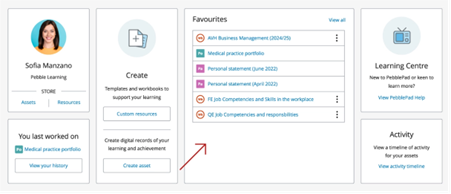
Once you have completed the above process, you will find your favourited assets in two places.
The first is via the Favourites tab in the Asset store, as pictured below:
The other way is via the new Favourites tile on the PebblePad dashboard:
While this feature will be useful to tutors, particularly those who are managing a large number of assets, it will be especially beneficial to students, so please feel free to share this blog post with your students who are using PebblePad.
